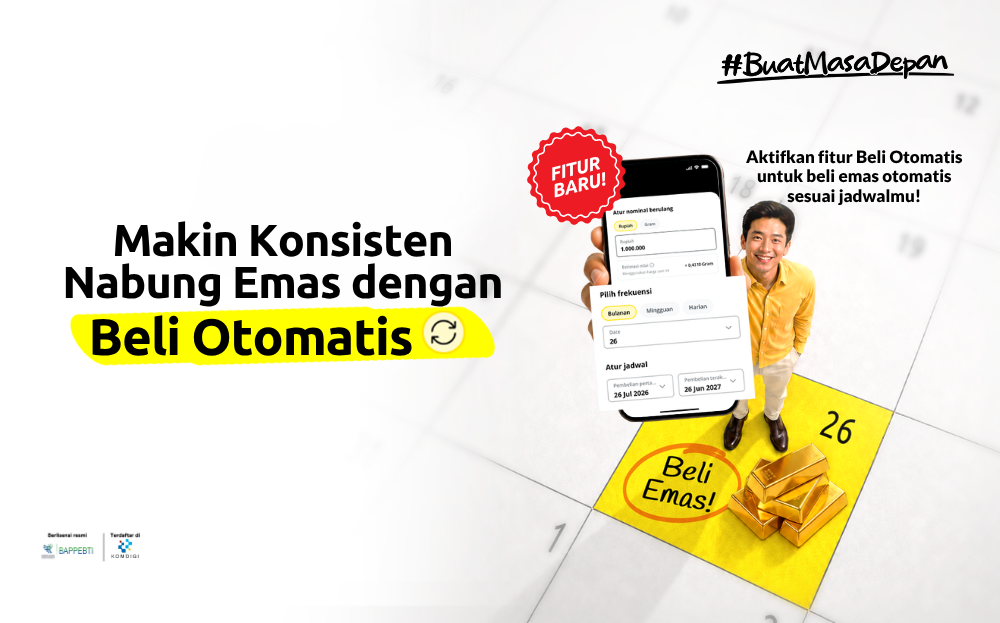
Have you been meaning to save gold regularly but keep forgetting, or find it too inconvenient to make transactions manually every time? Treasury now has a solution to help you save gold more consistently through the Auto Buy feature.
With this feature, all you need to do is set a schedule and the purchase amount that works for you. From there, your gold transactions will run automatically based on the settings you've made, turning gold saving into a regular habit without the hassle of making purchases manually every time. Here's everything you need to know!
What is the Auto Buy Feature?
Auto Buy is an automatic gold purchasing feature on the Treasury app that lets you set a regular gold purchase schedule, from daily and weekly to monthly, with an amount you can adjust yourself.
Unlike regular gold purchases that require you to open the app and transact manually each time, Auto Buy works automatically. Once the schedule is set, your gold purchases will run on their own at the frequency you choose.
Why can Auto Buy be a game-changer for your investment journey?
1. More Consistent and Convenient
Auto Buy helps you build the habit of saving gold regularly without needing to remember your purchase schedule every time. Just set the schedule and amount, and your gold purchases will run automatically. This way, you can stay consistent with saving even in the middle of a busy daily routine.
2. Start Investing from a Small Amount
Auto Buy lets you start saving gold with an amount that fits your financial capacity. There's no need to wait until you have a large sum. You can start small and adjust over time. This makes saving gold feel lighter and easier to keep up with on a regular basis.
3. Take Advantage of Dollar-Cost Averaging
You can apply a dollar-cost averaging (DCA) strategy by buying at regular intervals without needing to time the market based on price movements. This strategy helps you stay on track with your investment plan and reduces the pressure of having to decide exactly when to buy.
4. Flexible and Adjustable
Auto Buy still gives you full control over your gold saving plan. When your financial situation changes, you can adjust your Auto Buy settings to match. The feature can also be paused, resumed, or cancelled, keeping your gold saving plan flexible in line with your finances.
How to Use the Auto Buy Feature
1. Open the Treasury App. Go to the main Home page of the Treasury app.
2. Select Auto Buy. Find and tap the Auto Buy icon on the main page.
3. Set Your Purchase Schedule.
- Enter the gold purchase amount you want to run automatically
- Choose your purchase frequency: daily, weekly, or monthly
- Set the start date for your first automatic purchase
4. Choose Your Funding Source. Auto Buy uses your Celengan balance on the Treasury app as its funding source. Make sure your Celengan balance is always sufficient before each automatic purchase schedule runs.
5. Confirm and Activate. Review the schedule details you've set, then tap the Confirm button. Your Auto Buy is now active!
What Can You Manage in Auto Buy?
The Auto Buy feature is designed to give you full flexibility. Here's what you can do:
|
|
|
|
|
|
|
|
|
|
|
|
This flexibility ensures you stay in full control of your investment even when your financial situation changes.
Tips for Keeping Auto Buy Running Smoothly
1. Make Sure Your Celengan Balance Is Always Sufficient
Auto Buy draws from your Celengan balance as its funding source. Make sure the available balance is enough before your next purchase schedule runs. You can top up your Celengan regularly so that your Auto Buy transactions go through on schedule without being missed due to insufficient funds.
2. Choose a Frequency That Matches Your Financial Rhythm
To stay consistent, choose a purchase frequency that suits your capacity and how your income flows. If you receive income monthly, a monthly frequency might be the better fit. If you want to build a more frequent saving habit, you can opt for a daily frequency.
3. Start Small and Increase Over Time
There's no need to set a large amount right away when getting started with Auto Buy. Choose an amount that feels comfortable for your current financial situation so that the saving habit can run consistently. As your financial capacity grows, you can gradually adjust the purchase amount.
4. Make Use of Notifications
Turn on notifications from the Treasury app so you don't miss any updates about your Auto Buy schedule and transactions. Reminders ahead of the scheduled date help you keep track of upcoming purchases, and transaction confirmations help you verify that each purchase has been processed.
Start Using Auto Buy Now
Saving gold regularly has never been easier. No more waiting or guessing the right time. Take advantage of the Auto Buy feature on Treasury and set your purchase schedule and amount according to your plan.
Successful gold investing starts with small habits done consistently. With Auto Buy on Treasury, your investment runs automatically, on track, and moving steadily toward the financial goals you have in mind.